5 minutes
Doomsday OS: AI Agents for the End of the World
At Cartesia, we have always believed that AI should be private and personal. But we also believe in something equally fundamental: AI should be resilient.
What happens when the internet goes down, infrastructure fails, or you’re in a remote location with no connectivity? The cloud-dependent AI we’ve grown accustomed to simply vanishes exactly when we might need it most.
Worse still, you are at the mercy of the monopolistic giants that own the hardware and the models; your access can be revoked at any moment for arbitrary reasons, and you remain tethered to prohibitive pricing models that can change overnight.
Today, we’re releasing Doomsday OS: a build system for creating custom, portable, air-gapped AI assistants powered by local LLMs and offline knowledge bases.
The Problem We’re Solving
In an increasingly connected world, we’ve become dangerously dependent on cloud services for information and intelligence. Natural disasters knock out infrastructure. Remote locations have no connectivity. Critical situations demand instant, reliable access. And sometimes, privacy concerns simply require offline operation.
Traditional offline solutions are cumbersome—installing databases, configuring services, managing dependencies. They break, they drift, they’re hard to reproduce.
Doomsday OS takes a radically different approach: everything portable, from two files to a complete bootable operating system.
Three Deployment Options
| Artifact | Description | Use Case |
|---|---|---|
doomsday + doomsday-data.tar |
Two portable files | Run on any existing Linux system |
| Live USB Image | Bootable raw disk image | Boot any computer directly into Doomsday OS |
| Installer ISO | Offline Fedora installer | Install permanently to disk (no internet required) |
The simplest option is remarkable in its elegance: copy two files to any Linux system—no installation, no dependencies, no internet required. Just run ./doomsday serve and you have a fully functional AI assistant with access to Wikipedia, WikiHow, StackExchange, and a local LLM.
For maximum resilience, build a bootable live USB. Plug it into any x86_64 computer, boot from USB, and you’re immediately running Doomsday OS with full AI capabilities. The entire system runs from the USB stick—no hard drive required.
What’s Inside
Doomsday OS bundles everything needed for intelligent offline operation into a single, self-contained fat binary:
- Python Runtime — No system dependencies required
- Ollama — Local LLM inference (Qwen, Llama, Gemma, Phi, and more)
- Kiwix — Offline Wikipedia, WikiHow, and StackExchange
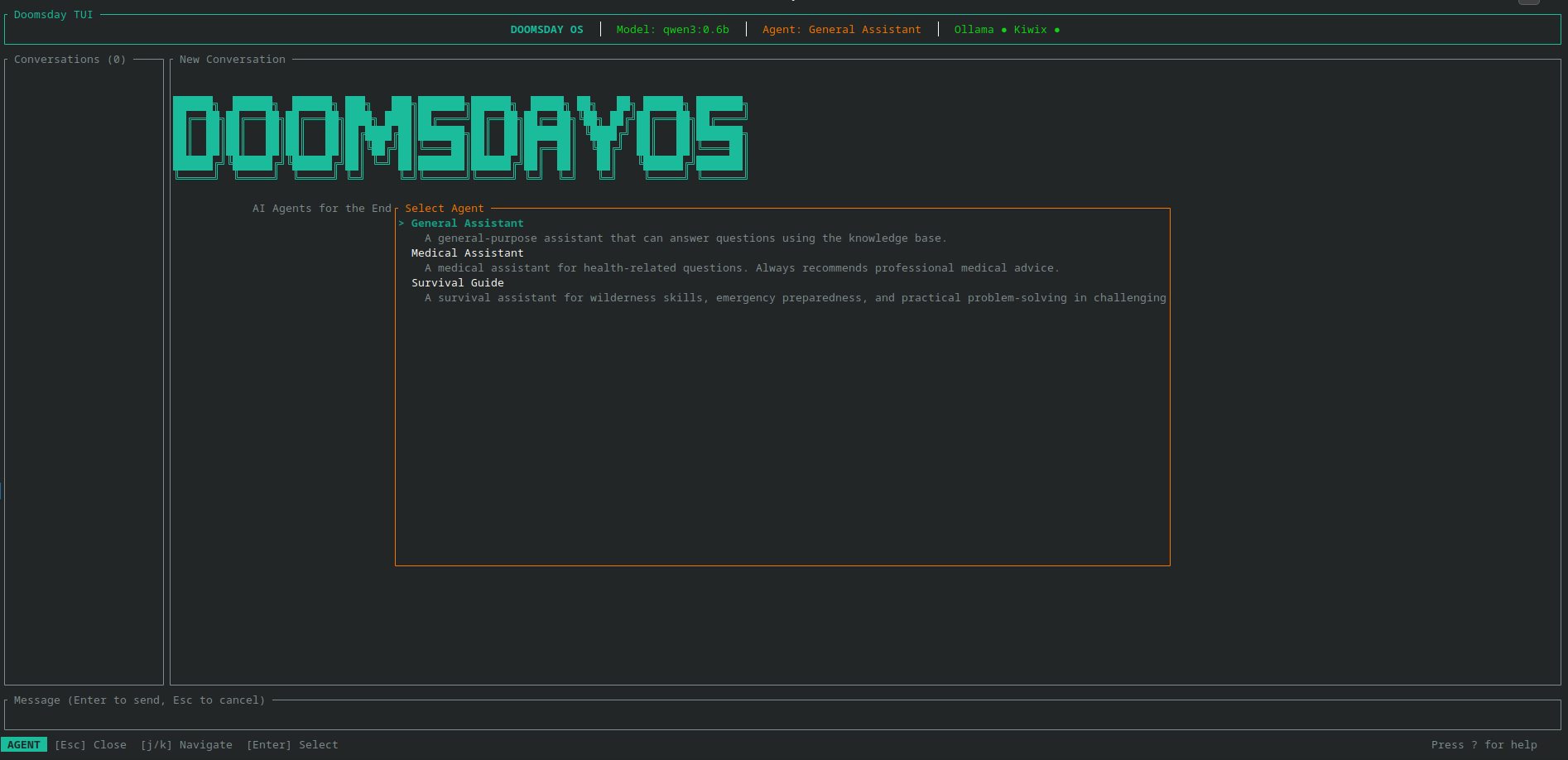
- TUI & Web UI — Beautiful interfaces for human interaction
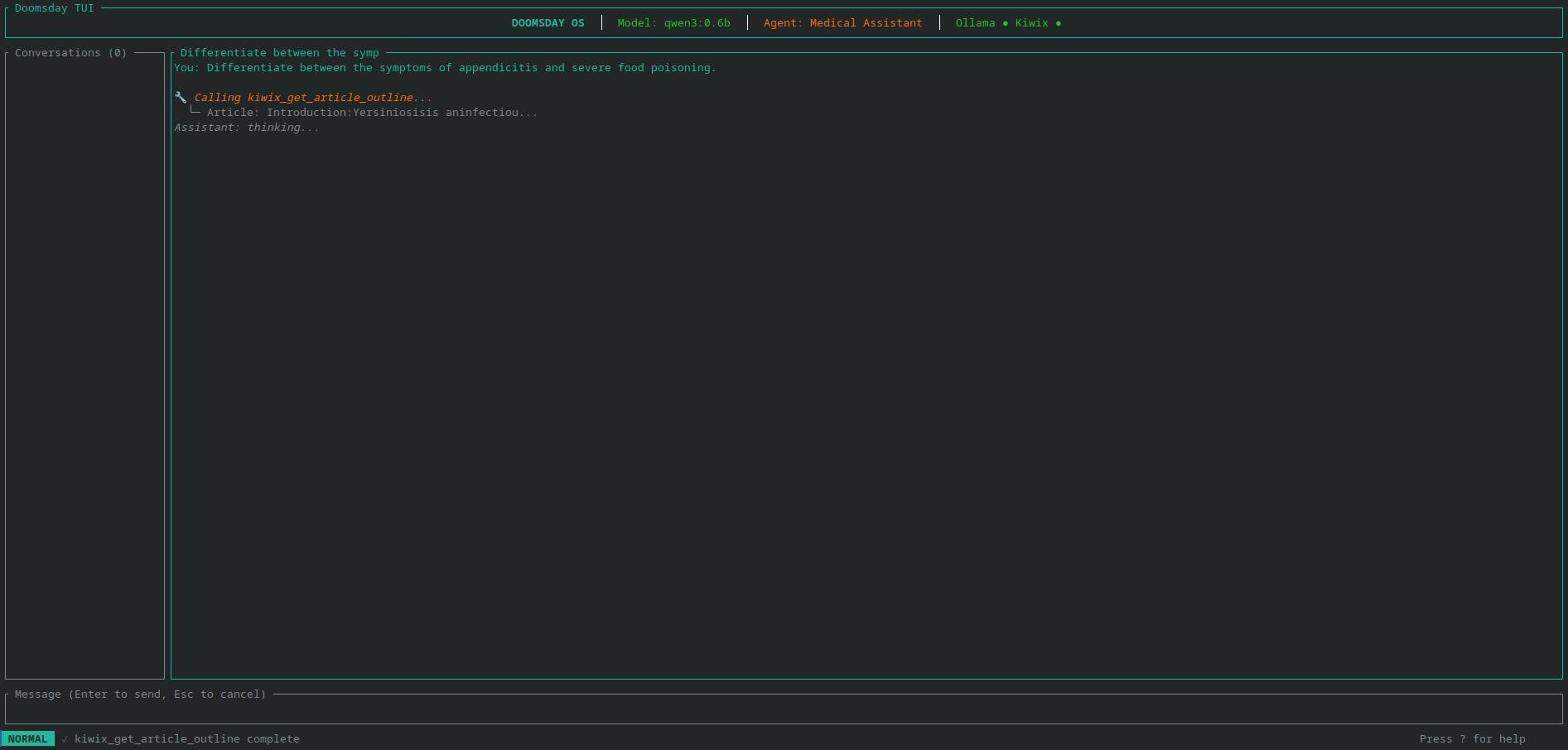
- AI Agent Runtime — Tool-augmented reasoning with citations
The data pack contains your chosen LLM models and knowledge bases in the efficient ZIM format. Swap data packs to customize for different use cases: medical emergencies, survival scenarios, general knowledge, or education.
AI-Powered Agents, Not Just Search
This isn’t a static offline encyclopedia. Doomsday OS provides intelligent agents that can reason, search, and synthesize information. Ask a question and get a thoughtful answer with citations—not just a list of links.
The system includes specialized agents for different domains: Medical, General Knowledge, and Survival. Each agent combines the reasoning power of a local LLM with tool-augmented access to curated knowledge bases.
TUI & Web UI
| TUI | Web UI |
|---|---|
 |
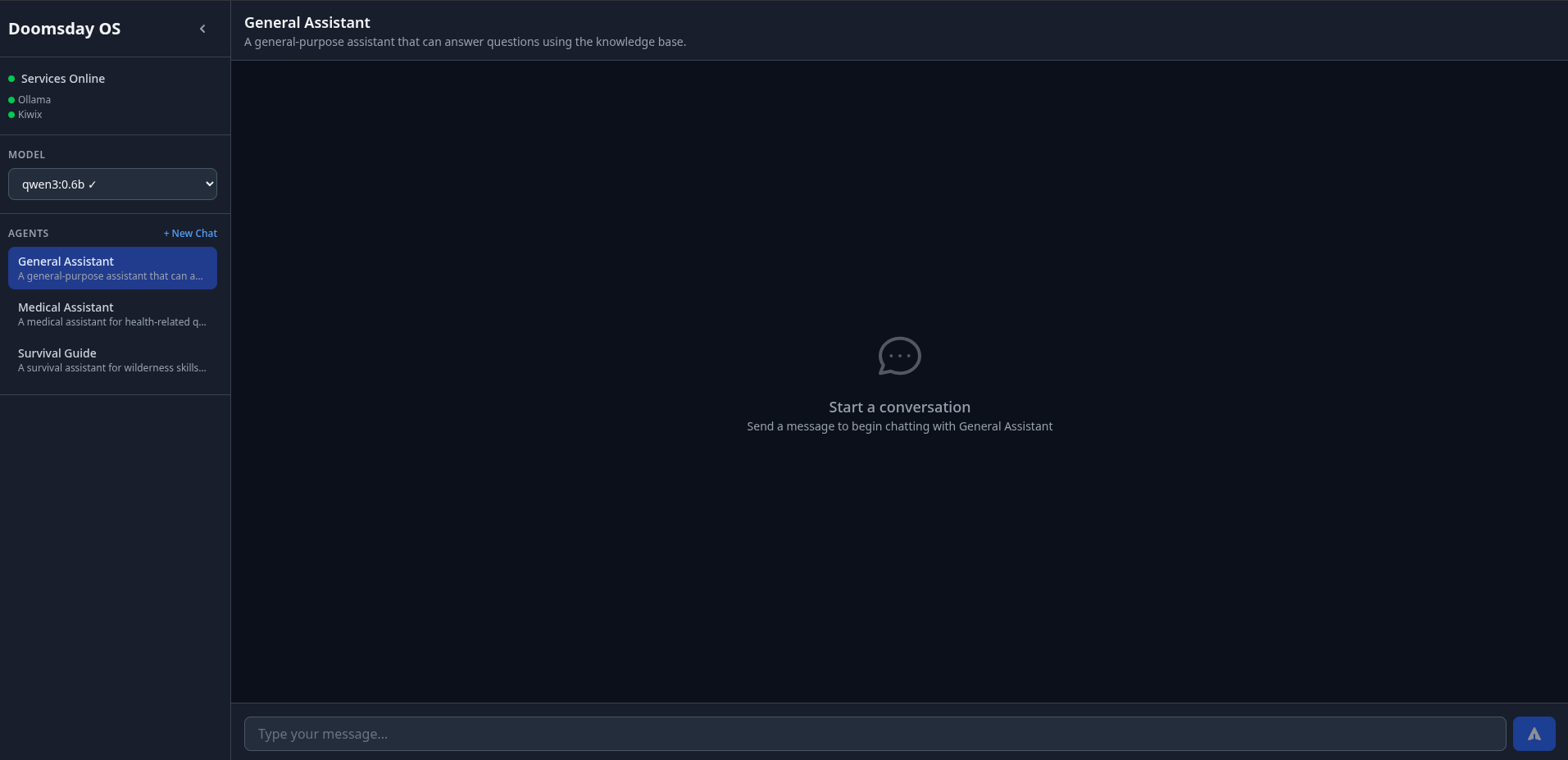 |
| TUI: Main chat interface with agent selection | Web UI: Modern browser-based chat interface |
 |
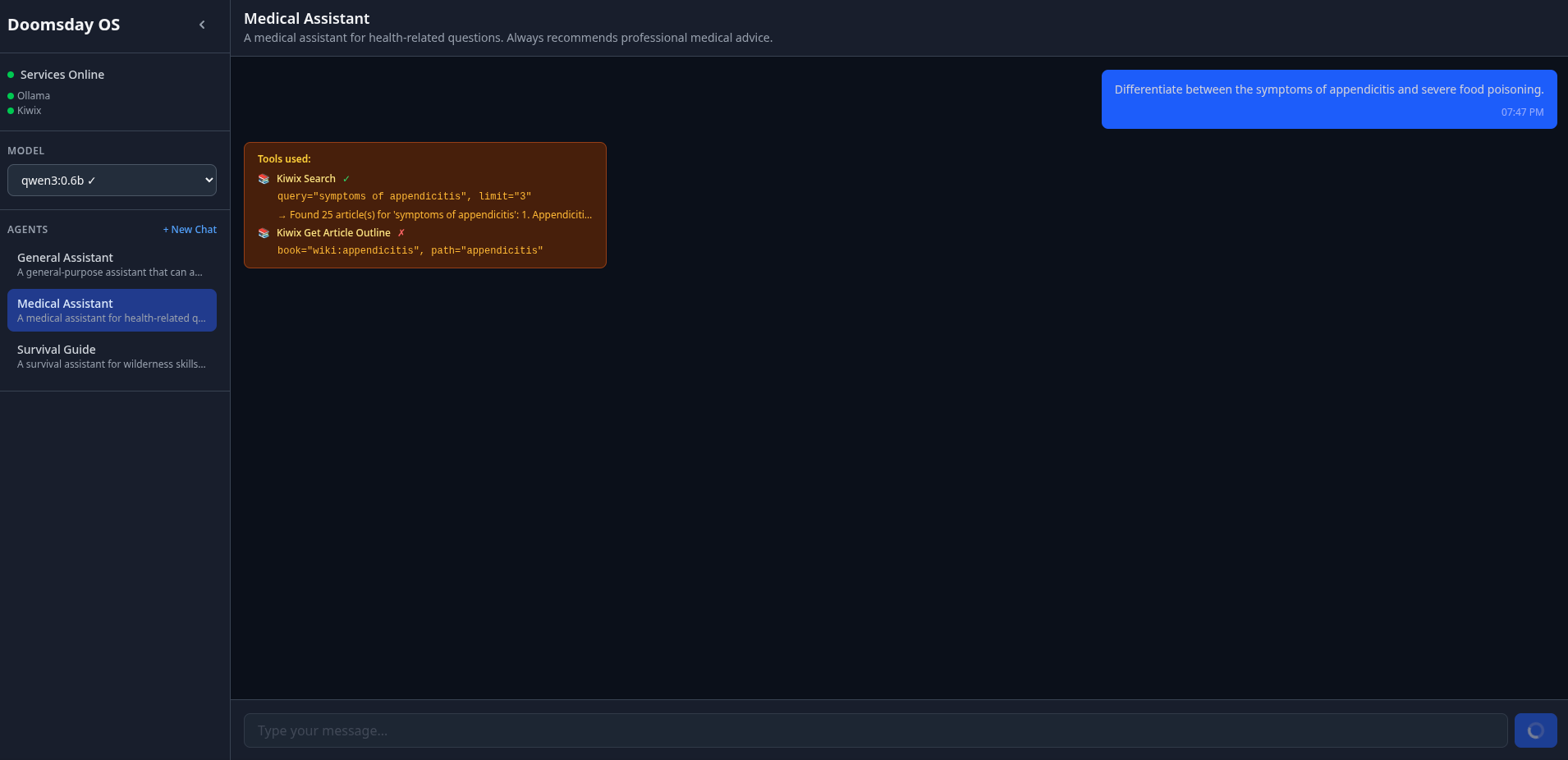 |
| TUI: Tool usage with citations | Web UI: Tool usage with citations |
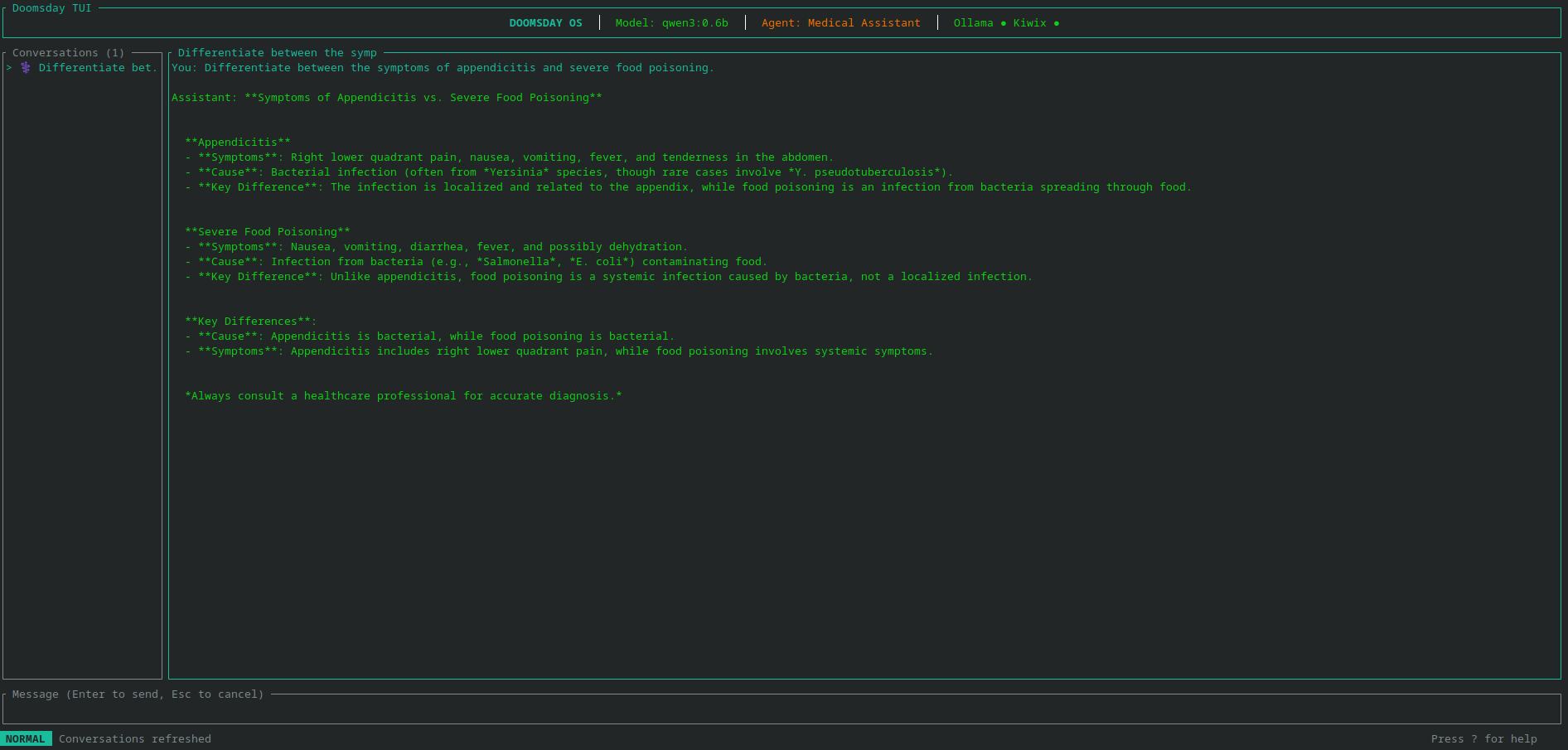 |
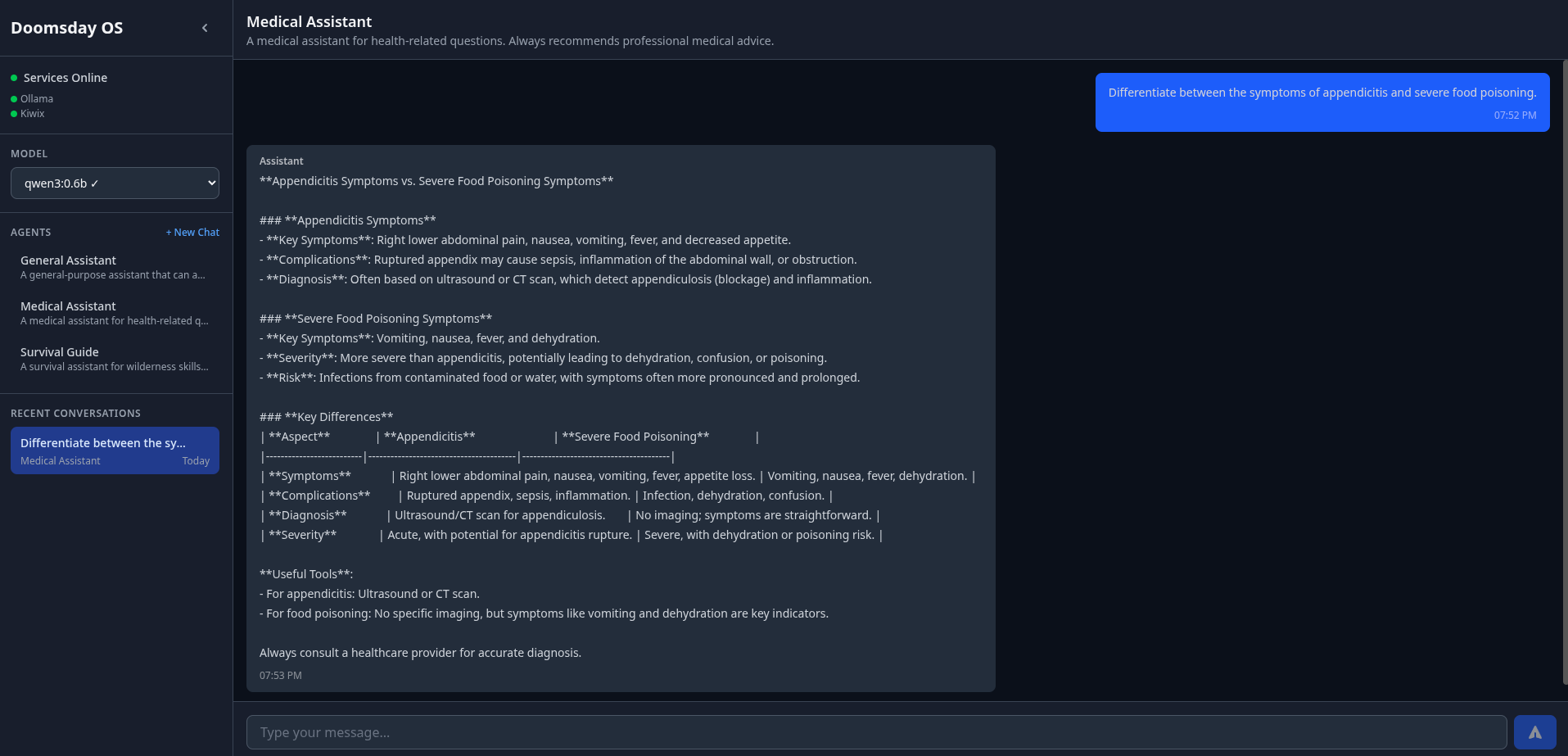 |
| TUI: Generated reply | Web UI: Generated reply |
Doomsday OS Live on QEMU
| Booting | Running |
|---|---|
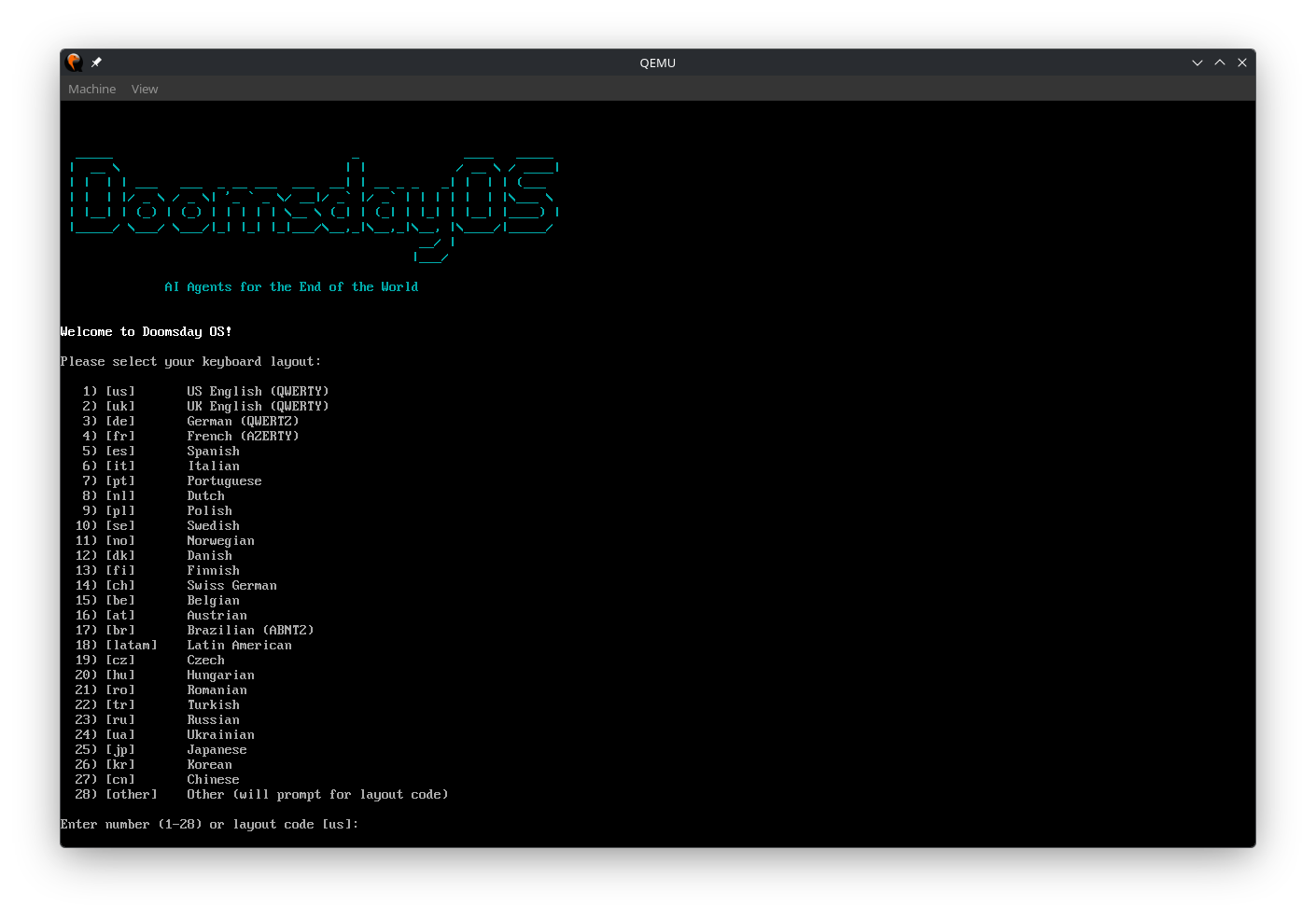 |
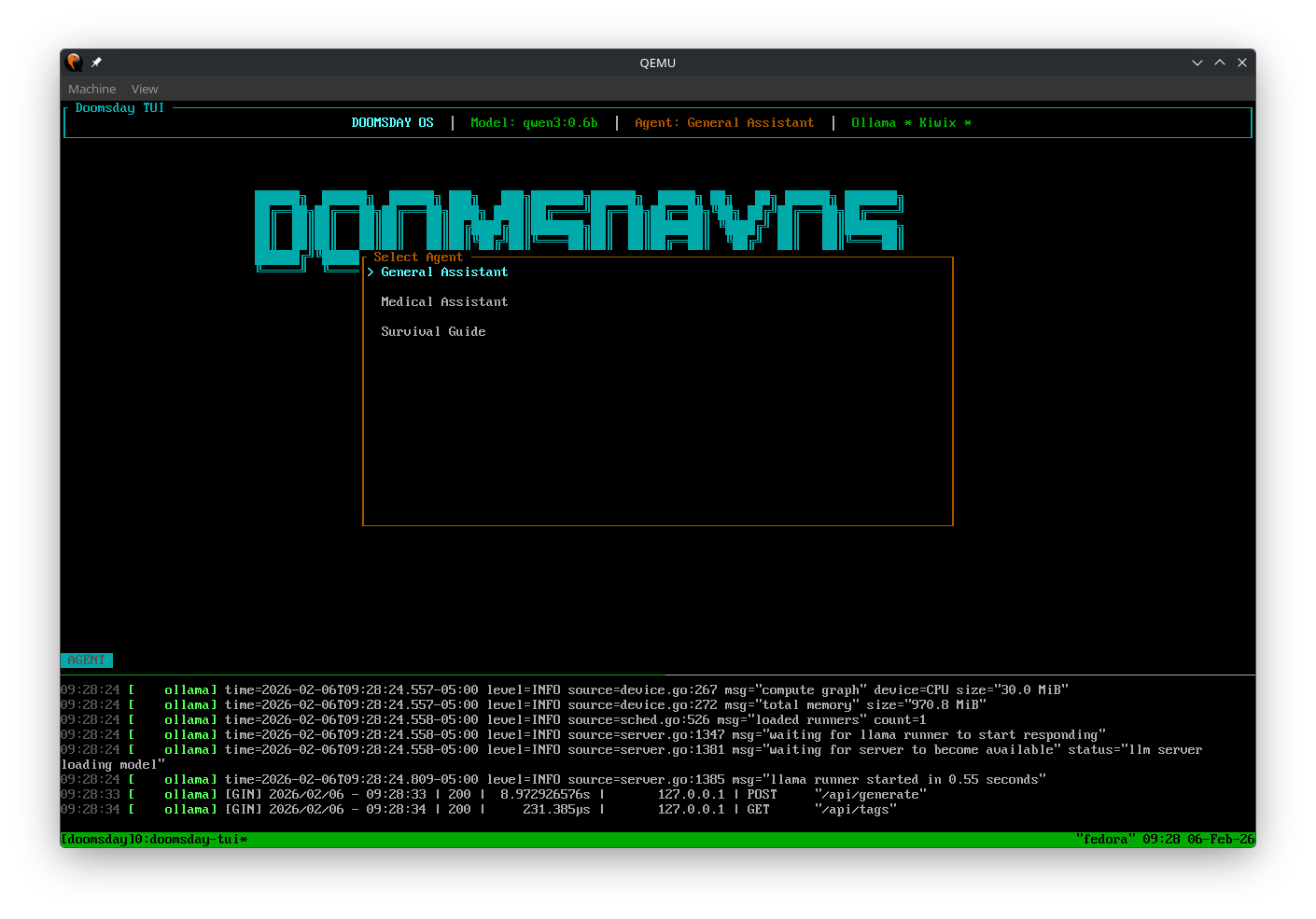 |
| Booting Doomsday OS in QEMU | Doomsday OS running live with TUI |
Why This Matters to Us
At Cartesia, we’re building social agents and humanoid robots that need to work reliably in the real world. The real world doesn’t always have WiFi. Our robots can’t pause a conversation to wait for a cloud timeout. They need knowledge and intelligence that travels with them.
Doomsday OS represents the same philosophy we’ve applied to azzurra-voice and csm.rs: AI capabilities should run locally, privately, and without compromise.
Use Cases
| Scenario | How Doomsday Helps |
|---|---|
| Emergency Preparedness | Medical knowledge, survival guides, how-to instructions offline |
| Remote Field Work | Researchers, aid workers, explorers with no connectivity |
| Education | Schools in areas with limited internet access |
| Privacy | Complete data sovereignty—nothing leaves your device |
| Archival | Preserve human knowledge in a portable, accessible format |
| Disaster Recovery | Boot any available computer with your knowledge base on USB |
Getting Started
Building your first Doomsday distribution is straightforward:
# Clone and setup
git clone https://github.com/cartesia-one/doomsday-os.git
cd doomsday-os && uv sync

# Interactive configuration wizard
uv run doomsday init

# Download models and knowledge bases
uv run doomsday download
uv run doomsday download-components

# Build the distribution
uv run doomsday build-all
The wizard guides you through selecting models and knowledge bases based on your target hardware. A minimal build with a small LLM and medical Wikipedia fits in under 2GB. A comprehensive build with full Wikipedia and multiple models can exceed 50GB.
Open Source for a Resilient Future
We are releasing Doomsday OS under the GNU General Public License v3.0. We believe that tools for offline AI—especially those designed for emergencies and critical situations—must be open, auditable, and owned by the community.
The project builds on the excellent work of Ollama, Kiwix, python-build-standalone, and the teams behind open models like Qwen, Llama, Gemma, and Phi.
Check out the repository on GitHub.
When the world goes dark, make sure your AI still works.
Federico Galatolo, Cartesia CTO