3 minutes
piemme: Engineering Vibe-Coding
At Cartesia, we build complex systems ranging from humanoid social robots to low-latency voice engines like csm.rs. We believe deeply in the adoption of AI, but we also hold a fundamental truth: AI is a tool, not a replacement.
There is a growing trend called “vibe coding” consisting of iterating with an LLM until the code “feels” right. While effective, it often lacks rigor. If you treat AI as a slot machine, your results will be accidental. If you treat it as an instrument, your results become engineered, consistent, and replicable.
To master the instrument, you must control the process.
For the past year, we have been using a hacked-together internal tool to manage this control. It allowed us to version, structure, and orchestrate the prompts we use across our diverse codebases—but it was rough around the edges, built for speed of iteration rather than polish.
Today, we are releasing a complete rewrite from scratch in Rust, built on the lessons learned from that internal tool. Introducing piemme.
Stop Copy-Pasting Luck
We realized early on that prompts are code. They should be stored with your code, versioned with git, and reviewed in Pull Requests. Yet, most developers store their best prompts in sticky notes, distinct text files, or worse, lose them in the scrollback of a chat window.
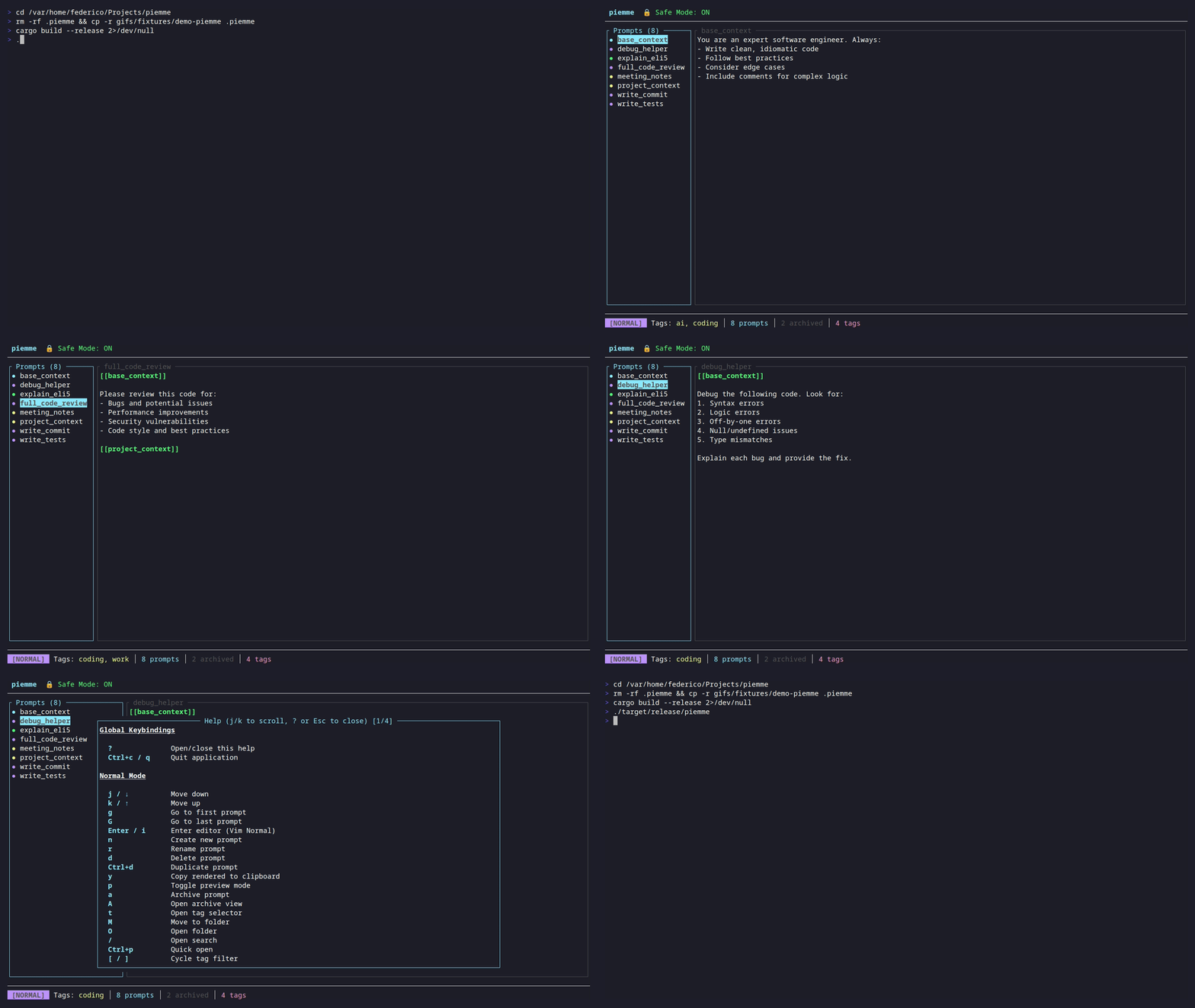
piemme is a blazingly fast TUI (Terminal User Interface) prompt manager written in Rust. It is designed to live inside your terminal, right where you work.
How It Works
Piemme treats prompts as Markdown files living in a local .piemme/ folder within your project. This simple design decision solves the biggest problems in AI-assisted development:
- Context is King: Prompts travel with the repo. A new engineer cloning the repo gets the prompts required to maintain it.
- Version Control: By using Markdown, you can
git diffyour prompts. You can see exactly how a change in the prompt affected the output of the model. - No Lock-in: No databases, no cloud accounts, no subscriptions. Just text files.
Composition and Context
The real power of piemme lies in how it lets you construct complex queries without rewriting them.
References ([[...]])
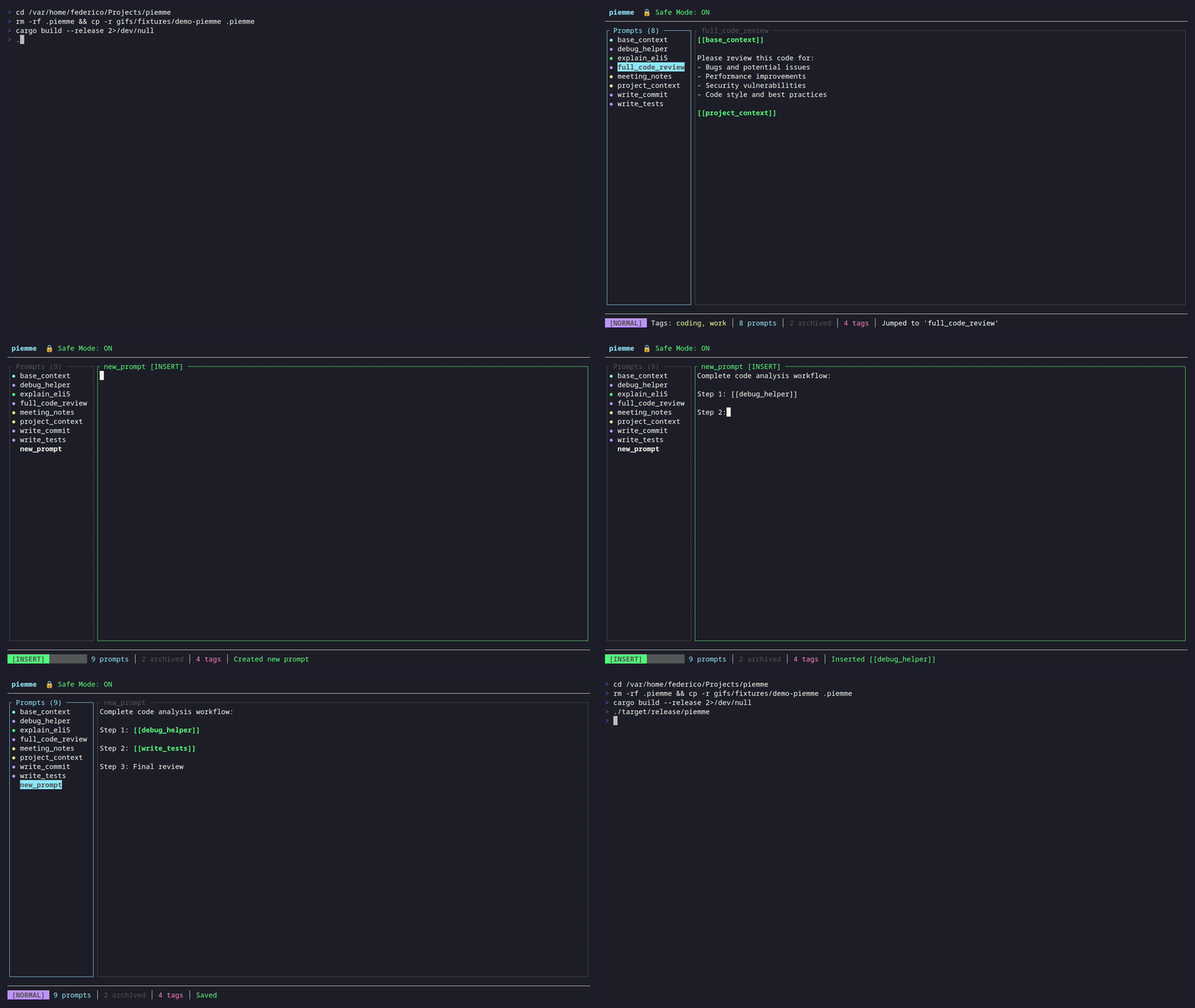
We treat prompts like functions. You can create a “base context” prompt and import it into others.
# In your editor:
[[project_context]]
[[coding_standards]]

Write a unit test for the following function...
When you copy this prompt, piemme resolves the dependencies instantly.
Dynamic Commands ({{...}})
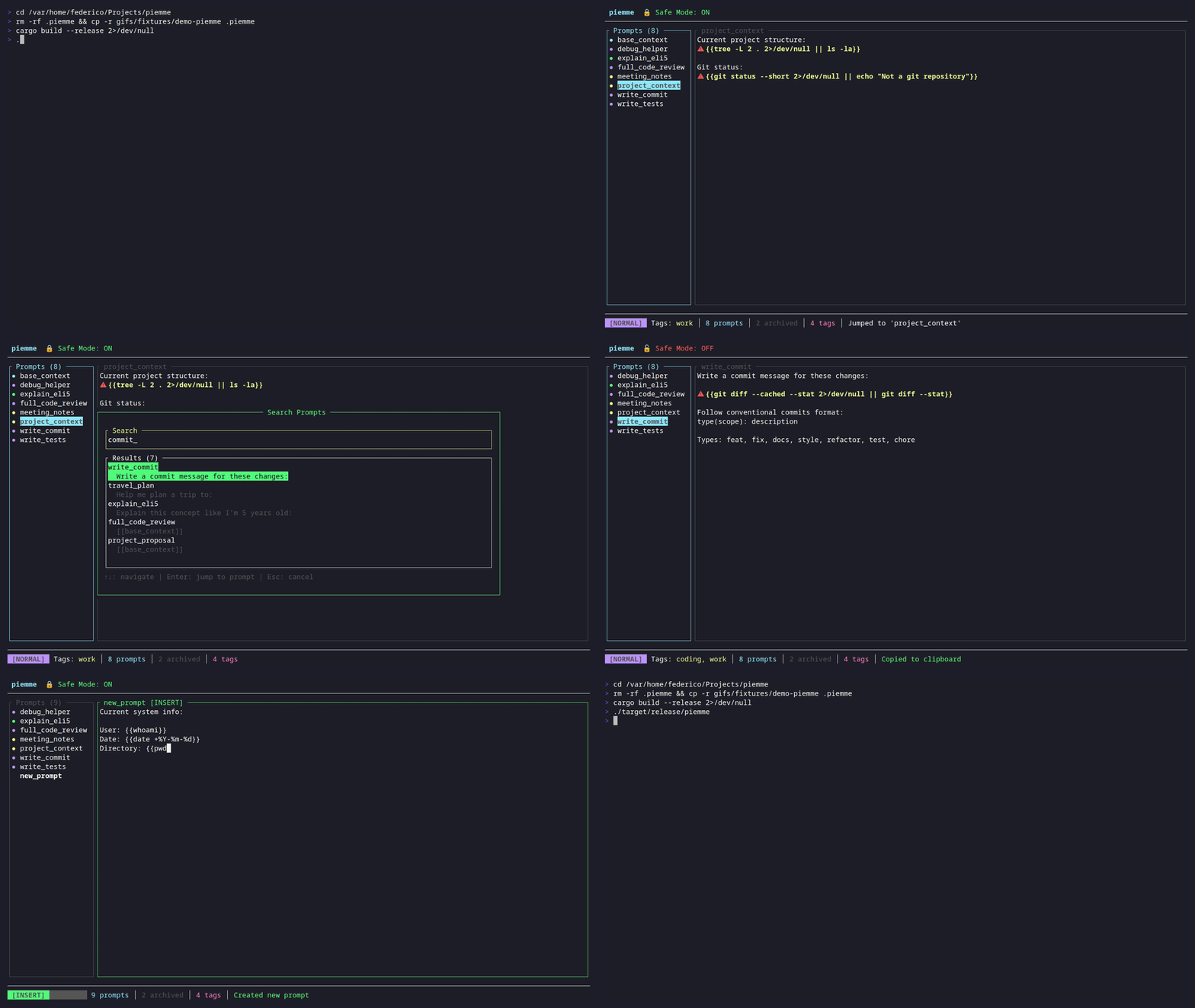
Context changes. Your file structure changes. piemme allows you to embed shell commands directly into your prompts.
Analyze the current file structure and suggest improvements:

{{ls -R src/}}
This ensures the AI is always looking at the current state of your project, not a hallucination of it.
Built for Speed (and Vim users)
We built piemme in Rust because we demand zero latency in our tools. It features a full Vim-emulated editor, fuzzy searching, and instant startup times. It feels like a natural extension of your shell.
Available Now
We are releasing piemme under the MIT license. We believe that the tools used to control AI should be transparent and accessible to everyone.
You can install it today via our install script or grab a binary from the releases page.
curl -fsSL https://raw.githubusercontent.com/cartesia-one/piemme/main/install.sh | bash
Check out the repository on GitHub.
Start treating your prompts like code. Stop gambling, start engineering.
Federico Galatolo, Cartesia CTO